Thursday, 30 December 2010

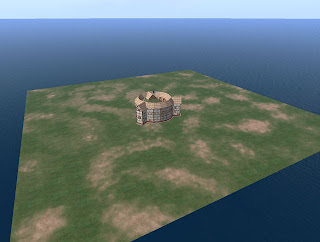
Half Day Challenge: Melee


Got distracted there for a while so things ran on for more than half a day. Still, this is the last update.

Just to round things out I added in melee. Very simply when a unit activates it scans for adjacent enemy units and then distributes its melee attack across them. By rights it should also lock movement, but that's for another time.

The end result is a skeleton for a more advanced system. At the moment there are no real rules, but I've tried to use a modular system that would make it easier to expand. The visuals are also more at the abstract end of the spectrum, but they could be replaced with small figures or, maybe in an OpenSim megaregion, full-size models.

Half Day Challenge: Ranged

Unable to display content. Adobe Flash is required.

The video shows the basic movement and ranged combat.

This first system is as basic as they come. The player selects a target and the unit uses the llSensor function to see if it is within range. If it is then it informs the target that it has taken damage.

Of course usually there would be a random check made based on the distance to target and units skill, and possibly random damage as well.

Half Day Challenge: Movement


A few overheads in setting up, but I now have a HUD that controls orientation and movement. I'm using the llDetectedUV function for both.

For the rotation this touch coordinate needs to be converted to an angle, which you can do using the llAtan2 function - just remember to subtract 0.5 from both x and y to move the origin to the centre.

vector touchPoint = llDetectedTouchUV(0);
float angle = llAtan2(touchPoint.y - 0.5, touchPoint.x - 0.5);

The angle will need adjusting so that clockwise is positive 0-180, and anticlockwise is negative. The OpenSim version that I'm using (0.7.02) returns inconsistent results for the four 90 degree quarters, so it might take some trial and error depending on what system you're using.

For movement, I'm just passing on the x component. Since this is just a number between 0 and 1 I'll use it to scale the movement. While on the subject, moving objects "forwards" is very easy using the built-in functions:

// Get the current rotation
rotation myRot = llGetRot();

// Get the vector that is pointing "forwards"
vector fwd = llRot2Fwd(myRot);

// Get the current position
vector myPos = llGetPos();

// Move forward a distance based on variables maxSpeed and movementScale
myPos = myPos + (fwd * maxSpeed * movementScale);


Just remember that an objects forward direction is along its positive x axis.

Time for lunch.

Half Day Game Development Challenge

I've found some free time over the Christmas break, so I thought that I'd devote half a day to working on a game project - it is the title of this blog after-all.

SL-based platforms aren't a good choice for real-time games. Basically, unless you're running a dedicated sim in SL with very little on it, then lag is going to be a major problem. As much as I love OpenSim, its performance would be even worse.

I've always thought that SL is a better platform for turn-based games. If you think about real-life, apart from sports, most games are turn-based, from hopscotch, to Monopoly, to Warhammer, to poker, to spin-the-bottle. Although this is hardly an epiphany, since most of the games that I've come across in SL were turn-based.

Anyway, since New World Notes reported that SL's new CEO had worked on some Open Source miniature wargame rules, that seemed like a perfect fit. I'll update on progress.

Monday, 13 December 2010

Results of OpenSim/SL Exercise

Last week we ran the SL/OpenSim activity for directing actors. The overall aim was for students to work in groups to plan out the stage direction for a piece of dialogue from Hamlet that only involved Hamlet and Ophelia, and then present their plan to the rest of the class. Virtual representations of the Globe theatre were used both as planning tools and the source of screenshots to use in their presentations.

There were 4 groups. At any one time only 1 group was in Second Life, and 1 was in OpenSim. They took it in turns, so ultimately 2 groups used OpenSim and 2 used Second Life.

The OpenSim setup is shown in the diagram below (the Second Life setup was identical, except that they connected to the Linden server instead of another PC in the room). Each group had 3 PCs, with two group members controlling the actors, and the remaining group members huddled around the 'director' PC. ((No it isn't the official Imprudence logo, but it's one of the variations that I prefer))

So how did it go? Put simply, very well. From the student experience point of view SL and OpenSim use was near-identical - one student did comment on OpenSim's tendency to flick the avatar's feet up to waist height occasionally. There were no crashes in either setup, and nothing noticeably weird happened. However a few general points did arise:


Getting to grips with SL

An issue that often arises in virtual world activities is the overhead in learners getting to grips with the technology. If anything we experienced the opposite effect. We bypassed all of the account creation/teleportation/inventory issues by providing ready-made avatars en-situ. Actors were on stage suitably dressed and the director was in the 'pit'. Actor controls were just the arrow keys to move around; the director controls were camera adjustment and screenshot taking. This wasn't enough for the students as they experimented with flying, text chat, and using gestures to act out parts of the dialogue.

It should be said that these were English Literature students, with a voiced aversion to 'techie' things. Some of the challenges experienced in introducing SL activities might be caused by exposure to too much early on. The group structure also provided peer support and allowed 'back-seat drivers'.


Phychomotor vs Affective learning

The activity was very successful in terms of students being able to use the technology as an assistance, rather than hindrance, in planning their stage direction. However, it seemed to be a less successful activity in terms of leading to an affective change in their understanding of Virtual World (VW) uses. There seemed to be a lack of imagination or extrapolation as to how VWs might be used in other areas.

This is probably a symptom of how the activity was designed. Removing distractions limited their view of the bigger picture. It's something that will be addressed in any future activities, but I'll wait to see what appears in the students' reflective journals before passing judgement.

Tuesday, 23 November 2010

First OpenSim project?

Although I've experimented with OpenSim, and created a few generic educational tools, we haven't used it in a project at the University yet. Although we might do in the very near future.


Shown above are characters on the stage of our virtual Globe Theatre. A previous activity involved students positioning the mannequins (foreground) to explore issues of actor positioning and movement during a scene. To give a better understanding of the affordances of Second Life, it was decided to replace the mannequins with student controlled avatars (centre). This probably seems like an obvious decision to users of Second Life, but the students in question are being introduced to and using Second Life in a single session, and we wanted to reduce distractions from the core activity (navigation issues, creating logins etc). As a compromise we'll be providing pre-made accounts where avatars start in the right locations.

However, a challenge is that the class will need to be divided into groups for the activity and there is only one theatre. There isn't space on the island to duplicate it, and so hopefully OpenSim can come to the rescue.


Our Globe Theatre was created by a developer in our department, and so we were able to export it to OpenSim fairly easily (see image above). The costumes are an entirely different matter, as they were produced by Karen Royer. Even large parts of the mannequins are purchased pieces.

This is a major issue in the educational use of OpenSim, which several people have highlighted. Generally speaking most academics don't have the time or ability to create good quality virtual environments. Even if they could, constantly rebuilding things that others have already made is wasted effort. Thankfully some resources are appearing, such as myOpenSim, although I'd prefer if they did away with the concept of pretend money.

Friday, 19 November 2010

Trying Diva - Part 2: wifi

Just a quick update to post some thoughts on the web interface supplied with Diva. The bottom line is that it's sole purpose at the moment is to administer accounts, and it does that well. It looks quite nice too.


I can definitely see the benefits of allowing people to register their own accounts, even in a stand-alone, classroom setting. However, there is potential to do a lot more. True, it also allows you to view your inventory, create folders and shuffle things around, but that's not particularly useful.

An alternative is the Opensim Webinterface - opensimwi (redux), as described here. It seems to have more features, including a more easily customisable front-end, but it looks a little dated. Out of the two I would probably still go with the Diva version.

A promising integration that was trialled a while back was linking Elgg to OSgrid. It was supposed to synchronise friends and groups between the two, and I'm sure it did when I registered some time ago, but it seems to have lost all of the functionality now. That's a shame.

I also remember hearing something about being able to buy things from other people's inventories. I'd like to see something like XStreetSL linked into the OpenSim database so that you can just list something as for sale in your inventory, and it would appear for sale in a web listing.